Posts

Showing posts with the label Tips

Asphalt 8: Airborne adds Xbox achievements, new cars and more

Image
Asphalt 8 : Airborne for Windows Phone has been updated, adding a number of new features, including Xbox Achievements. The game has also added a number of new cars, kits, and more. Asphalt 8 has eleven new cars, including the Tramontana XTR and the Arrinera Hussarya. There are also new pro kits to help you maximize your car's potential. There are three new winter-themed tracks and a new location. You can also use the new token system to get exclusive cars, refill your fuel, or buy Boosters. You can earn tokens by playing events, or purchase them from the in-game shop. Download Asphalt 8: Airborne from the Windows Phone Store Enjoy !!! Don't forget to put your comments here.

How to share your cellular data connection over Bluetooth

Image
To use the shared data connection over Bluetooth, the device you're using must support the Bluetooth Personal Area Network User (PANU) role. To find out if your Bluetooth device supports this, check the documentation that came with it or check the manufacturer's website. To learn more about Bluetooth personal area networks (PAN) in general, check out the Microsoft Windows website . Pair your phone with the Bluetooth device and connect to it over Bluetooth. In the App list, tap Settings  > Internet sharing. Tap Share over, and then tap Bluetooth. Set Sharing to On. You can also start sharing over Bluetooth even when Sharing is turned off. Just connect your device to your phone over Bluetooth, and then Sharing will turn on automatically. Tip Trying to decide which connection to share over? First, it depends on the device and whether it lets you connect to a shared connection over Wi-Fi or Bluetooth. If it lets you choose either type of connection, con...

Important DreamSpark Notification: Changes Coming to DreamSpark Log In

Image
DreamSpark.com is improving their registration process to make accessing developer software and partner benefits, such as their Windows Phone Marketplace offer, much easier. DreamSpark.com will be updating the registration system starting July 1, 2014, and they now require you to use a Microsoft Account. Starting on July 1, 2014, when you sign in to DreamSpark.com you will be asked to associate your DreamSpark.com account with a valid Microsoft Account. This is a onetime exercise to ensure you continue to have access to DreamSpark.com, and in no way affects your current software download history or capability to download new software. To make it easy for you to complete this account association and transition, they have created a very simple process that allows you to quickly associate your DreamSpark.com account with your Microsoft Account. The next time you sign in to DreamSpark.com you will be prompted with instructions detailing what you need to do. They're estimate this w...

What's new in Windows Phone 8.1

Image
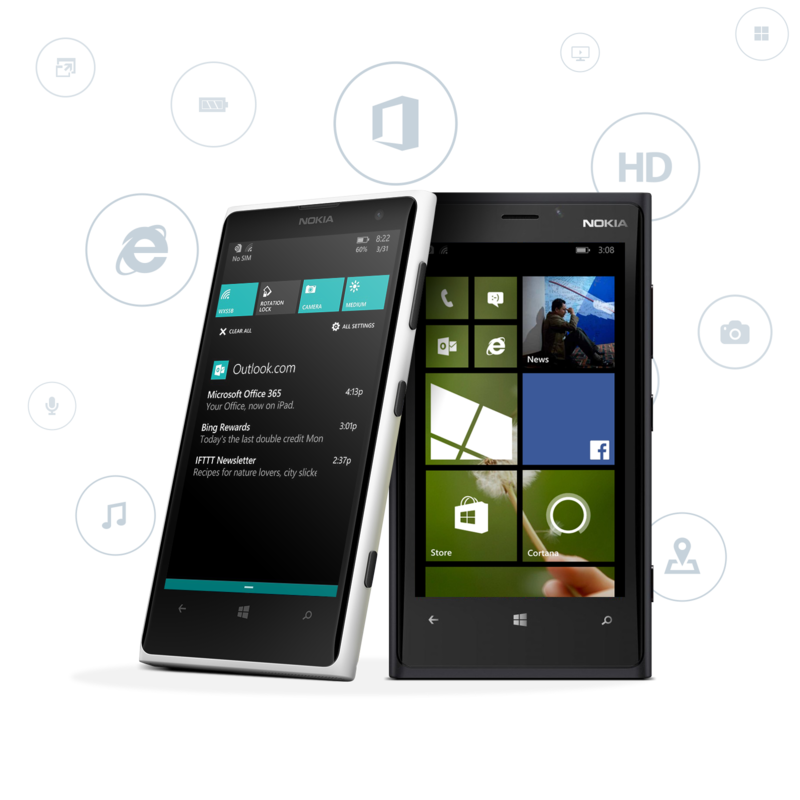
Windows Phone 8.1 delivers great new features that will make your phone a delight to use every day. Dive in here to see what's in our latest release. How do I get Windows Phone 8.1? Moving from Windows Phone 8 to Windows Phone 8.1? Check out What's changed in Windows Phone for the lowdown on the differences. If you're looking for what's new in Windows Phone 8.1 Update—the first update for Windows Phone 8.1 Meet Cortana. Cortana can help you make calls, send texts, take notes, and more. She can also set reminders and alarms and keep track of things that interest you (such as news, weather, or traffic). And of course Cortana's no slouch at finding stuff—on your phone or on the web. (Cortana is only available in some countries and regions.) Meet her Start screen splendor. Use a favorite photo as the Tile background on your Start screen—the Tiles fit together like puzzle pieces to display the full image. There's now an optional extra column of medium Tiles, too...

Mitigation Bypass and BlueHat Defense

Image
PROGRAM DESCRIPTION: Microsoft is pleased to announce the launch of the Microsoft Mitigation Bypass Bounty and BlueHat Bonus for Defense Program beginning June 26, 2013. Through this program, individuals across the globe have the opportunity to submit a novel mitigation bypass against our latest Windows platform, and are optionally invited to submit a defense idea that would block an exploitation technique that currently bypasses the latest platform mitigations. Under this program, qualified mitigation bypass submissions are eligible for payment of up to $100,000 USD, with a bonus of up to $50,000 USD for defense submissions. Bounties will be paid out at Microsoft's discretion. If you are submitting a new mitigation bypass technique that you have found in an active attack, please note that that we have a similar but separate program for you, and the terms appearing here are aimed at individuals submitting their own idea for a new mitigation bypass technique. If y...

How to make free license Applications and Games on Windows Phone 8.1

Image
Requirements 1. Developer Unlocked Device. 2. SD Card Slot on WP Device. 3. Pocket File Manager from our blog. 4. WPAppPatcher 5. Application Deployment Tool. First 1 :- Download Pocket File Manager from our blog and install using Application Deployment Tool. Second 2 :- 1. Open Pocket File Manager on Device. 2. Go to SD Card directly > Touch and hold on WPSystem Folder pop up menu will opened, Press Info. 3. Unchecked both check marks. A. Hidden File. B. System File. Step 3 :- Now Browse WPSystem Folder from any your favorite File Manager Application. Step 4 :- Go to the "App" Directory > go to the your  chooses application GUID (Prod. code) > Copy only "Install" Folder to public directory. (E.g. D:\Anywhere) (for 8.1 apps go to the WPSystem>WindowsApps) Step 5 :- >Delete WMPRHeader.xml file and Zip the "Install" folder content. Step 6 :- > Rename "Install.zip" to "Install.xap" >...

Change Main Windows Live ID w/o Factory Reset

Image
You may find that no matter how many Windows Live ID accounts you link, you can never change the first ID that you activated the phone with. This ID is used to keep track of Marketplace purposes etc. If for some reason you want to change the main ID(to avoid getting XBL bans etc), the only official way would be to go to settings and reset the phone, which will wipe ALL data and restart the whole activation process. This is troublesome as all your save game data will be lost. However there is a way around this, but you will need a dev-unlocked device. Please see Jailbreaking section for details. On the handset: 1) Using a registry editor(such as WP7 root tools), change these values: [HKCU\Software\Microsoft\ActiveSync\Partners\{B2830 118-7BC6-4A74-8C9A-3D8B9CEF88E0}] "Email" =your_new_id@hotmail.com "User" =your_new_id@hotmail.com [HKCU\Software\Microsoft\IdentityCRL\Environment\Pr oduction] "DefaultID" =your_new_id@hotmail.com 2) Reboot...

How to sign up Beats Music for FREE !!!

Image
Change phone region to United State & download Beats Music. Now, Get USA contry Region proxy address from here. http://proxylist.hidemyass.com/ Open WiFi Setting or data connection access point. Put USA proxy address & port. Open Beats Music. Sign up for free !!!

Capability Rules

Image
CAPABILITY_RULE_ENTERPRISE_APPLICATIONS CAPABILITY_RULE_FIRST_PARTY_APPLICATIONS CAPABILITY_RULE_ISV_DEVELOPER_UNLOCK CAPABILITY_RULE_OEM_DEVELOPER_UNLOCK CAPABILITY_RULE_SECOND_PARTY_APPLICATIONS CAPABILITY_RULE_THIRD_PARTY_APPLICATIONS

Nokia Lumia OEM Settings Registry keys & values [OemSettings.Reg Version 5.0]

Windows Registry Editor Version 5.00 ; Autogenerated OEM Customizations ; Command Line used to generate this file: ; E:\build_e\i1\workspace\product_fame_7657\local_tools\OemCustomizationTool.exe E:\build_e\i1\workspace\product_fame_7657\build_input\ocp\OemCustomization.xml E:\build_e\i1\workspace\product_fame_7657\build_input\ocp\Whitelist /version=0.13492.0.01 /output=E:\build_e\i1\workspace\product_fame_7657\ffu\\pkgs\nokia\vbr\FAME_ROW /cpu=ARM [HKEY_LOCAL_MACHINE\Software\OEM\Nokia\Feedback] "UiConfig"="1" [HKEY_LOCAL_MACHINE\Software\OEM\Nokia\Analytics] "ConsentStatus"="1" [HKEY_LOCAL_MACHINE\Software\OEM\Nokia\FUE] "SendWarrantyRegistration"="1" "UiConfig"=dword:00000002 [HKEY_LOCAL_MACHINE\Software\Microsoft\Shell\OOBE] "CustomOOBEConnReq"=dword:00000001 "CustomOOBETaskName"="@C:\\Windows\\AccountDisplayStrings.dll,-102" "CustomOOBEPartnerName"="@C:\\Windows\\Acc...

How to recover/reset/restore Nokia phone software?.

Image
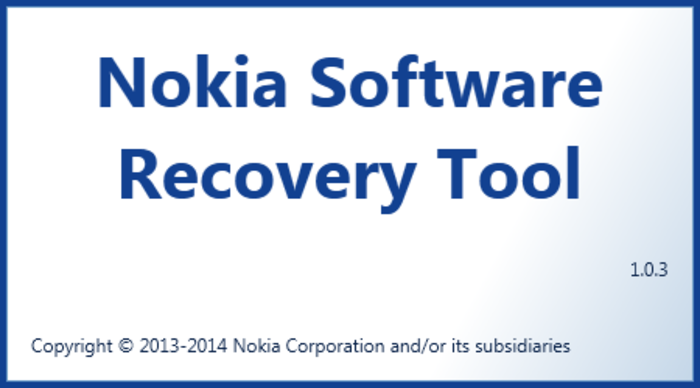
Nokia Software Recovery Tool can help you to reset and recover your phone software at home, if your phone is experiencing software related or software update problems. With Windows Phone 8 models, you can also use Nokia Software Recovery Tool to recover your phone in case your phone is not responding, it appears to be stuck, or it is not starting. You need a computer (PC): Microsoft Windows 7 or newer. USB cable to connect your phone to the computer. Minimum 4 GB free storage space. Supported Nokia phones: Lumia phones Asha and Series 40 phones that have USB interface Series 30+ phones that have USB interface Nokia X2 platform phones Symbian phones Step 1 . Download and install Nokia Software Recovery Tool to your computer. If possible, make sure that your phone is fully charged. Step 2. Start Nokia Software Recovery Tool, and connect your phone to your computer with a compatible USB cable. If prompted, select the correct USB mode on your phone: Nokia Suite or Mo...

How to use PROXY to download all OEM apps.

Requirements : - any WP7/8 device (Nokia, Samsung, LG, HTC...), Unlocked Phone not needed. - SysApp Pusher from WP Store - install SysApp Pusher - Go to WiFi settings on phone - Connect to WiFi network - Click on active connection (or tap and hold) to edit it - Enable PROXY and enter this data: Proxy: 117.135.139.179 Port: 8888 - save and exit Proxy 2 (if first not work, here another one): Proxy: 103.13.29.118 Port: 8888 - go to region setting and change region to United States - confirm to restart phone Enjoy !!!  

Telerik Tollkit for Windows Phone

Image
Accelerate Your App Development Lifecycle Unlock the powerful cloud capabilities of the Telerik Platform across your entire app lifecycle, from idea to deployment 1 Design Seamless mobile application prototyping and design: Create interactive UI prototypes with an intuitive drag and drop interface Support agile design and development; collaborate in the cloud Enable real-time collaboration of designers, developers and business analysts Export design specifications directly into the app code 2 Build Cross-platform mobile development: Dedicated UI libraries for any approach (web, hybrid, native) Develop in the browser, on your desktop or using Visual Studio Streamline the app build process with a unified cloud development Benefit from a rich set of productivity and code assist technologies 3 Connect Comprehensive service to manage data, users and integrations: Use rich, custom logic to intelligently manage your backend data Mobilize your existing data ...

SQLite for the WINDOWS PHONE !!!

Image
SQLite is an in-process library that implements a self-contained, serverless, zero-configuration, transactional SQL database engine. The code for SQLite is in the public domain and is thus free for use for any purpose, commercial or private. SQLite is currently found in more applications than we can count, including several high-profile projects. SQLite is an embedded SQL database engine. Unlike most other SQL databases, SQLite does not have a separate server process. SQLite reads and writes directly to ordinary disk files. A complete SQL database with multiple tables, indices, triggers, and views, is contained in a single disk file. The database file format is cross-platform - you can freely copy a database between 32-bit and 64-bit systems or between big-endian and little-endian architectures. These features make SQLite a popular choice as an Application File Format. Think of SQLite not as a replacement for Oracle but as a replacement for fopen() SQLite is a compact librar...

The Windows Phone Toolkit

Image
Straight from Microsoft Windows Phone developer platform team - Windows Phone Toolkit provides the developer community with new components, functionality, and an efficient way to help shape product development. WPToolkit releases include open source code, samples & docs, plus design-time support for the Windows Phone platform. Components in #WPToolkit AutoCompleteBox ContextMenu CustomMessageBox DateTimeConverters DateTimePickers Effects – SlideInEffect, TiltEffect and TurnstileFeatherEffect ExpanderView HubTile ListPicker LongListMultiSelector Map extensions PhoneTextBox RatingControl ToggleSwitch TransferControl Navigation transitions WrapPanel LongListSelector for 7.x MultiSelect for 7.x Samples are included in the source code. FAQs - Q - I have WP8 SDK and I installed the NuGet package, it is still installing the 7.1 version of the toolkit assembly, or I get an error – “You are trying to install this package into a project that targets 'Wind...

How to use PROXY to download all OEM apps.

Requirements: - any WP7/8 device (Nokia, Samsung, LG, HTC...), unlocked phone not needed - is great for Lumia 520 to install full version of Here Drive+ without region licence limitation - SysApp Pusher from WP Store - install SysApp Pusher - Go to WiFi settings on phone - Connect to WiFi network - Click on active connection (or tap and hold) to edit it - Enable PROXY and enter this data: Proxy: 117.135.139.179 Port: 8888 - save and exit Proxy 2 (if first not work, here another one): Proxy: 103.13.29.118 Port: 8888 - go to region setting and change region to United States - confirm to restart phone - after restart, check in your browser did connect to PROXY - start SysApp Pusher on phone, and find which app you want install (if you have Nokia go to Samsung or HTC) - click on app to install it... notice: sometimes you must repeat process since succeed - after you get message for retry download, turn off proxy in WiFi setting - now you retry download and you have this app installed....

WhatsApp for Windows Phone. (WhatsApp server down problem feb 2014)

Image
Currently WhatsApp application Server is down for the some reason, such as for sever maintenance. It will take a time up to 4 to 5 hours. Everything will fine in some hours, will not be loss any data. It's happened same thing in December 2013 for 4-5 hours. Note* Don't reset your phone until server will active. Don't take a such actions to soft reset or hard reset.

Windows Phone 9 Blog Category and tag list.

Image
Hi, I'm declaring some tags and categories about this blog. Below is the tag list. News, Applications, Games, Tutorials, Developers, PC Tool, Devices, Updates, OsUpdate, SourceCode, SampleCode, Projects, AppStudio. This blog posts will distribute in above categories.